Umbrelly
Umbrelly

Classroom monitoring students can see, too.

Web filtering, live monitoring, and FERPA-aligned data handling for K-12. Built around student dignity, not surveillance.

FERPA-aligned COPPA consent enforced Clever roster sync and SSO

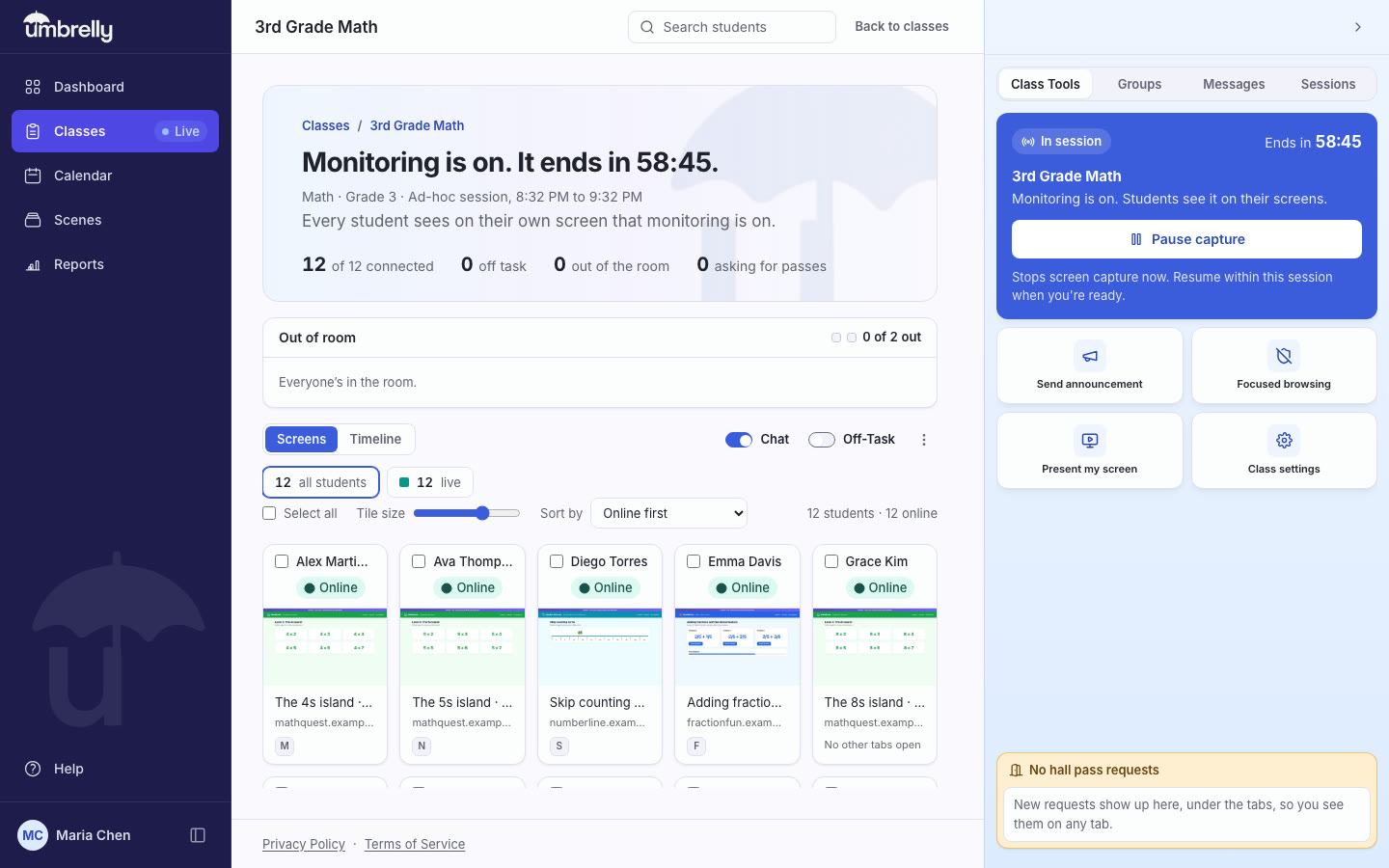
Umbrelly teacher live console showing eight student tiles with page titles and online or offline status
The teacher's live console. Eight students, one glance, no red alerts.

Every school already does this. The tools made it hard to defend.

Filtering is not a preference. A district taking E-rate funding is required to filter, devices went one-to-one years ago, and a teacher is now responsible for thirty screens they cannot see. Every school already does some version of this.

The tools built for it were designed for security operations, not classrooms. Dark consoles and alert language. Viewing the student never knows about. Browsing history kept indefinitely. The results have been consistent: parent complaints, local press, new state privacy law, and teachers who quietly stop opening the tool because they do not like what it makes them.

So districts have been choosing between monitoring they cannot defend and no monitoring at all. Umbrelly's position is that the choice is false. Everything the school can see, the student sees. The capability is the same. What is removed is the part nobody could justify.

What that is worth to a school

  • Fewer disputes to litigate. When the student saw the session live and the family got the weekly summary, there is little left to argue about afterward.
  • Teachers actually use it. Adoption fails when staff feel like they are surveilling children.
  • Shorter legal review. The DPA gate, consent tracking, retention windows and FERPA export already exist in the product, so counsel is not negotiating them into a contract.
  • Less to lose. Snapshots clear in 14 days, tab activity in 30. Data you do not hold cannot be breached, subpoenaed or requested.
  • One vendor covers it. Filtering (school and home), monitoring, and the compliance record.

One class period, three views

The same session, seen by the teacher, the student, and the family. Nothing happens in one view that the others cannot see.

A teacher leans over a student working at a laptop, pointing at the screen
  1. 1

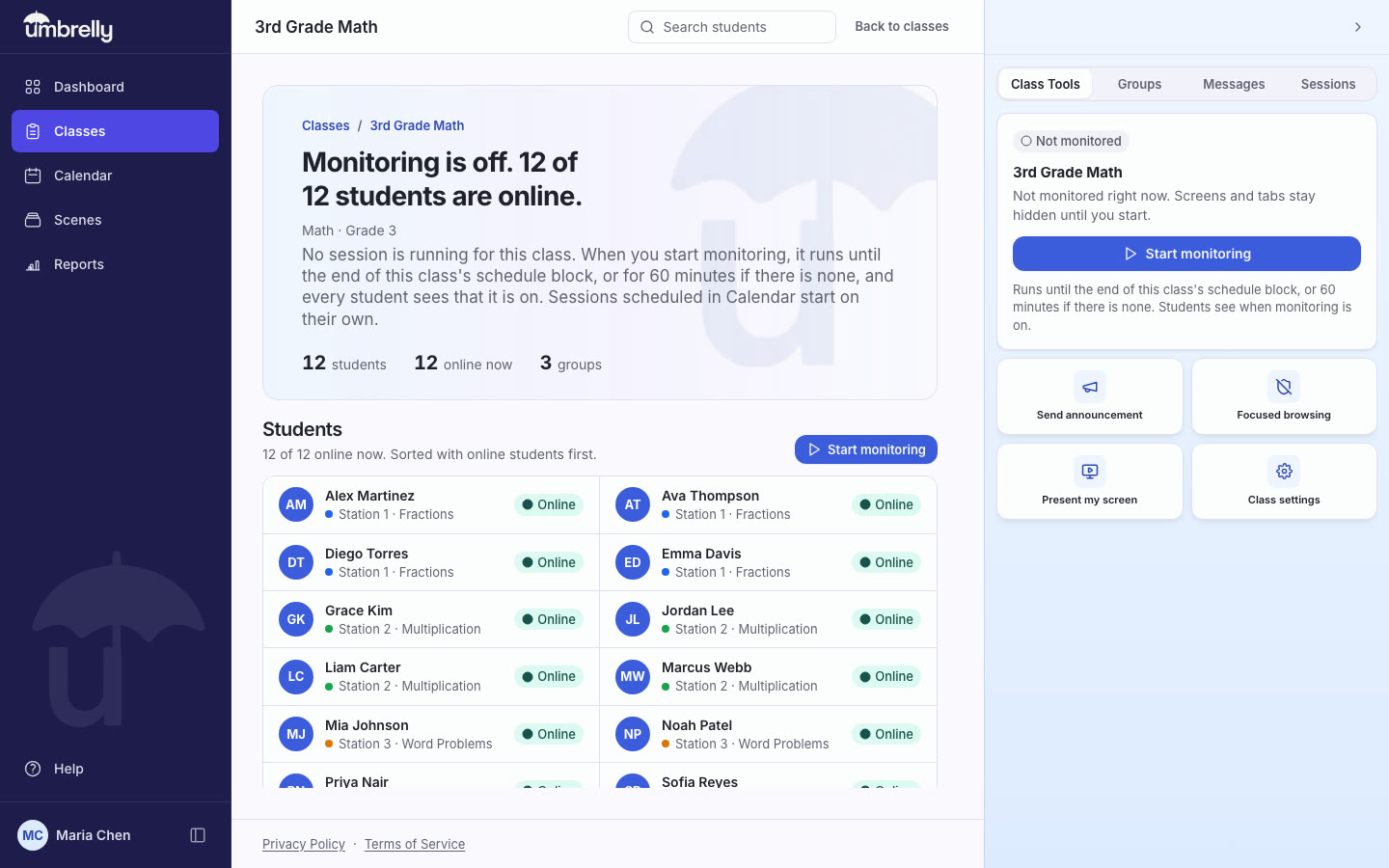
    The teacher starts a session

    The confirmation says it plainly: students will see that monitoring is on, the same way you do. There is no hidden mode, and you can stop at any time.

    Confirmation dialog reading: Start monitoring for Algebra I? Students will see that monitoring is on, the same way you do. There is no hidden mode.
  2. 2

    The student sees it too

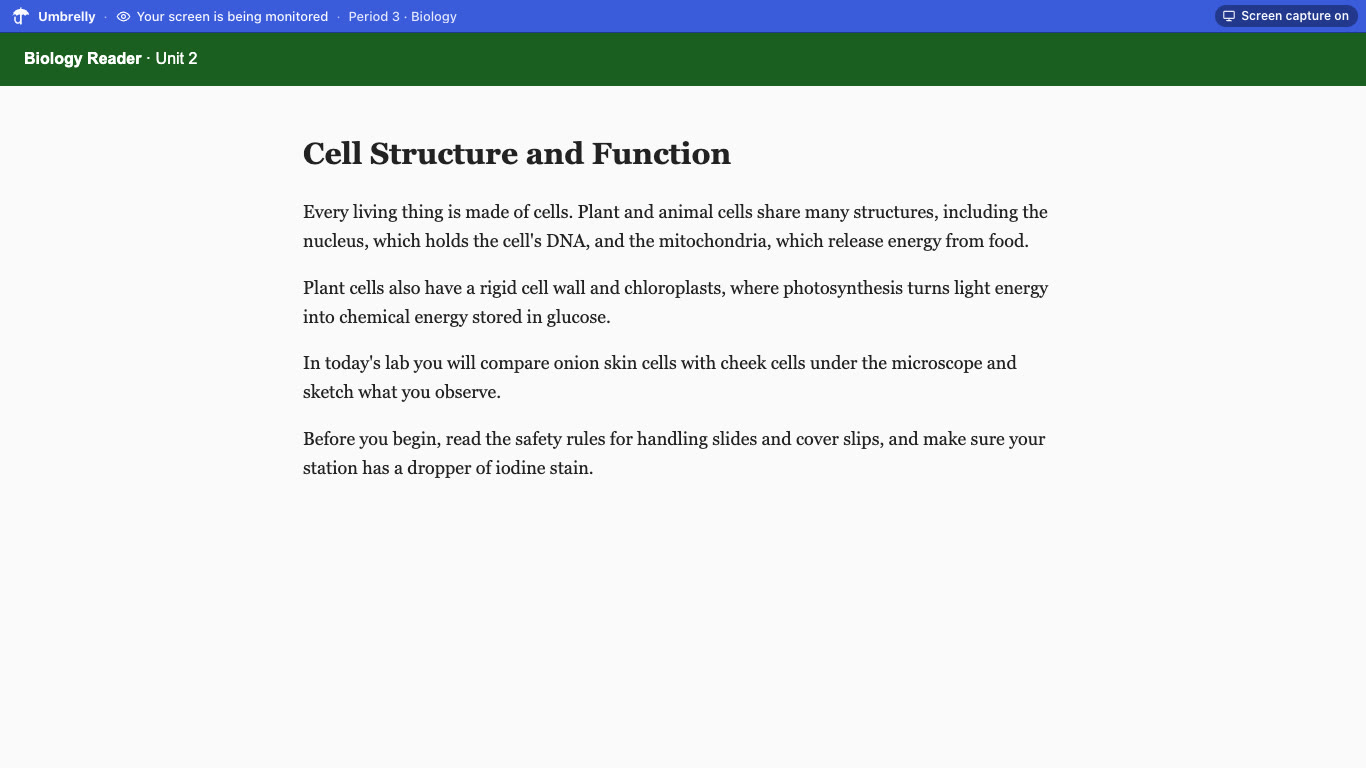
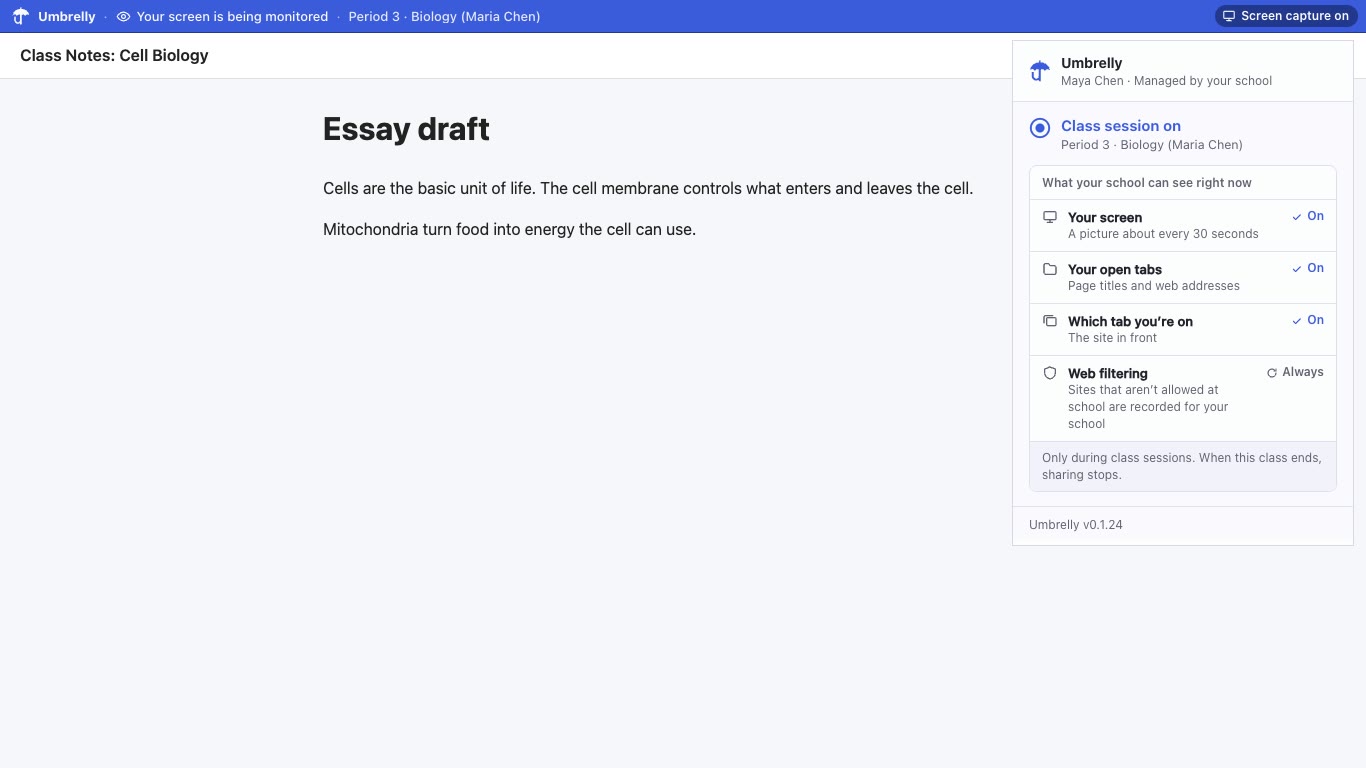
    A banner stays on the student's screen for the whole session. Their status page lists what the school can collect, and what Umbrelly never does.

    Student status page with a Being watched pill, a persistent monitoring banner, and lists of what the school can collect and what Umbrelly does not do
  3. 3

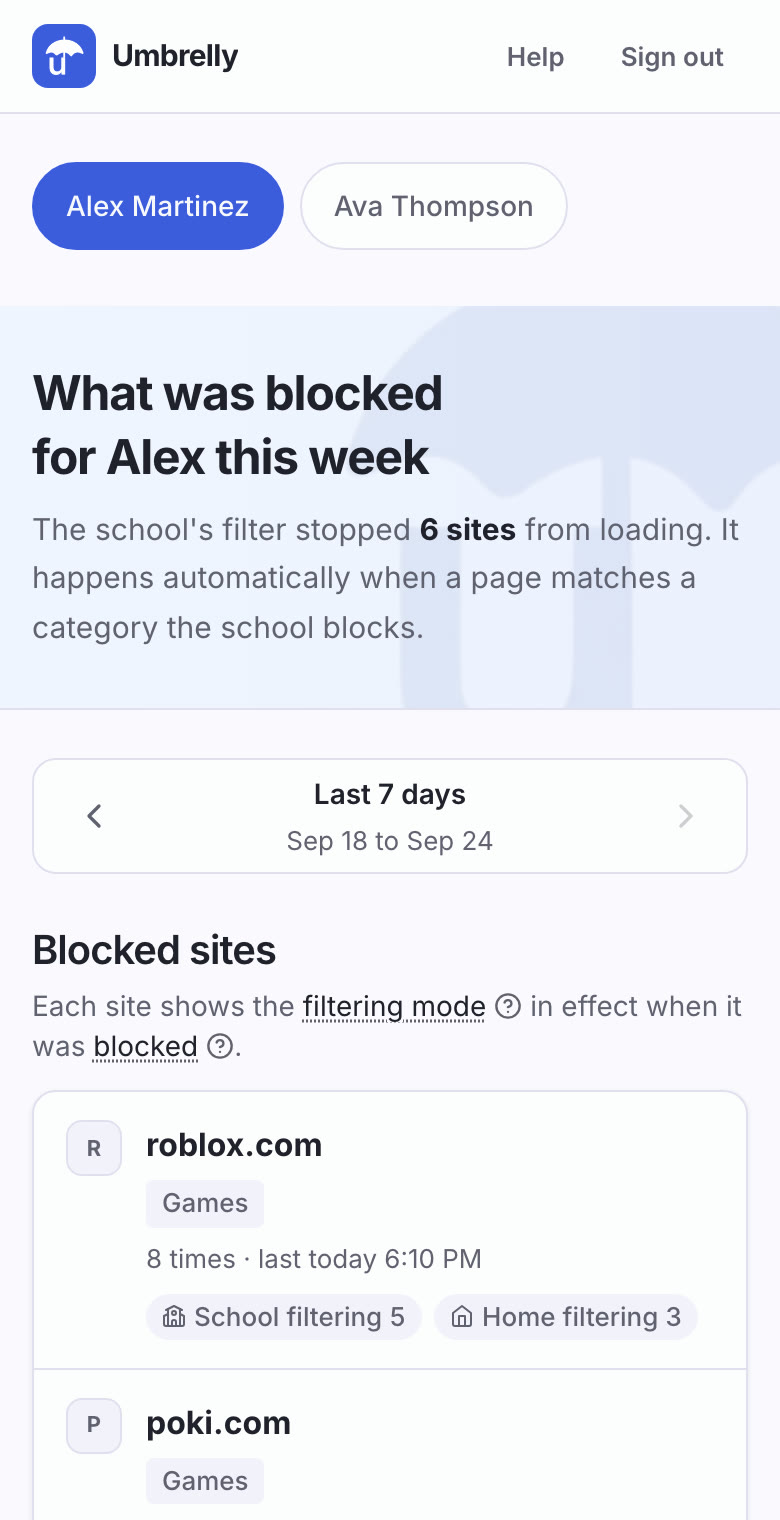
    The family gets a plain summary

    Pages opened this week, today's classes, and any flags. No browsing history, no threat language, and it works on an older phone.

    Parent dashboard on a phone showing a child's weekly summary: pages opened, today's schedule, and no flags this week

Awareness in two seconds, action in one gesture

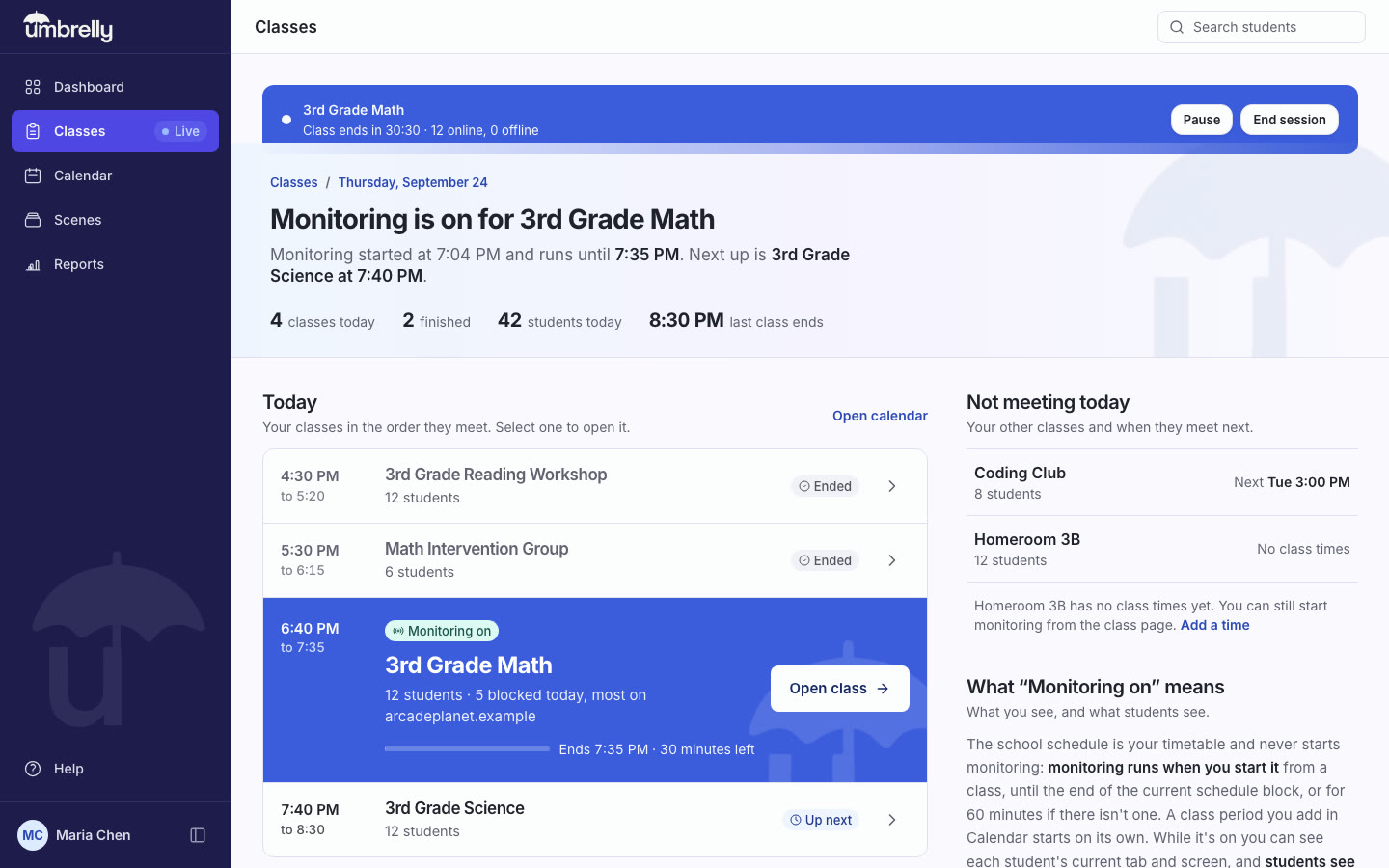
A teacher glances at the grid to see who is on task, opens the timeline to understand the last ten minutes, and acts without leaving the page.

Umbrelly live console: a session ribbon reading Algebra I, ends in 32:10, 7 online, above a grid of student tiles with page titles and status pills
Live grid
A thumbnail per student with the page title and an online or offline status pill. Sort, resize, and select the way the teacher wants.
Timeline
One lane per student on a shared time axis: which site, when, and for how long. The last ten minutes of a class, understood in one look.
Direct actions
Lock a screen, open or close a tab, send a message, or present your own screen to the class. One gesture, no menus.

What the school can see, the student can see too

Every session shows a visible indicator on the student's own screen, and their status page says what is collected in words written for a ten-year-old.

Student status page: Algebra I is monitoring your screen right now, with the persistent banner and the two lists of what is and is not collected
The student's own view, updated on its own.

What the school can collect

Only during a live class session, only on a school-managed Chromebook.

  • A picture of the screen every few seconds while the session is live.
  • Which sites and tabs are open: the address and the page title only.

What Umbrelly does not do

  • It does not turn on the microphone or the camera.
  • It does not record what a student types.
  • It collects nothing once monitoring is off.
  • It collects nothing from a device that is not the school Chromebook.

Consent is enforced on the server. A student marked as needing parental consent is not monitored until it is on file.

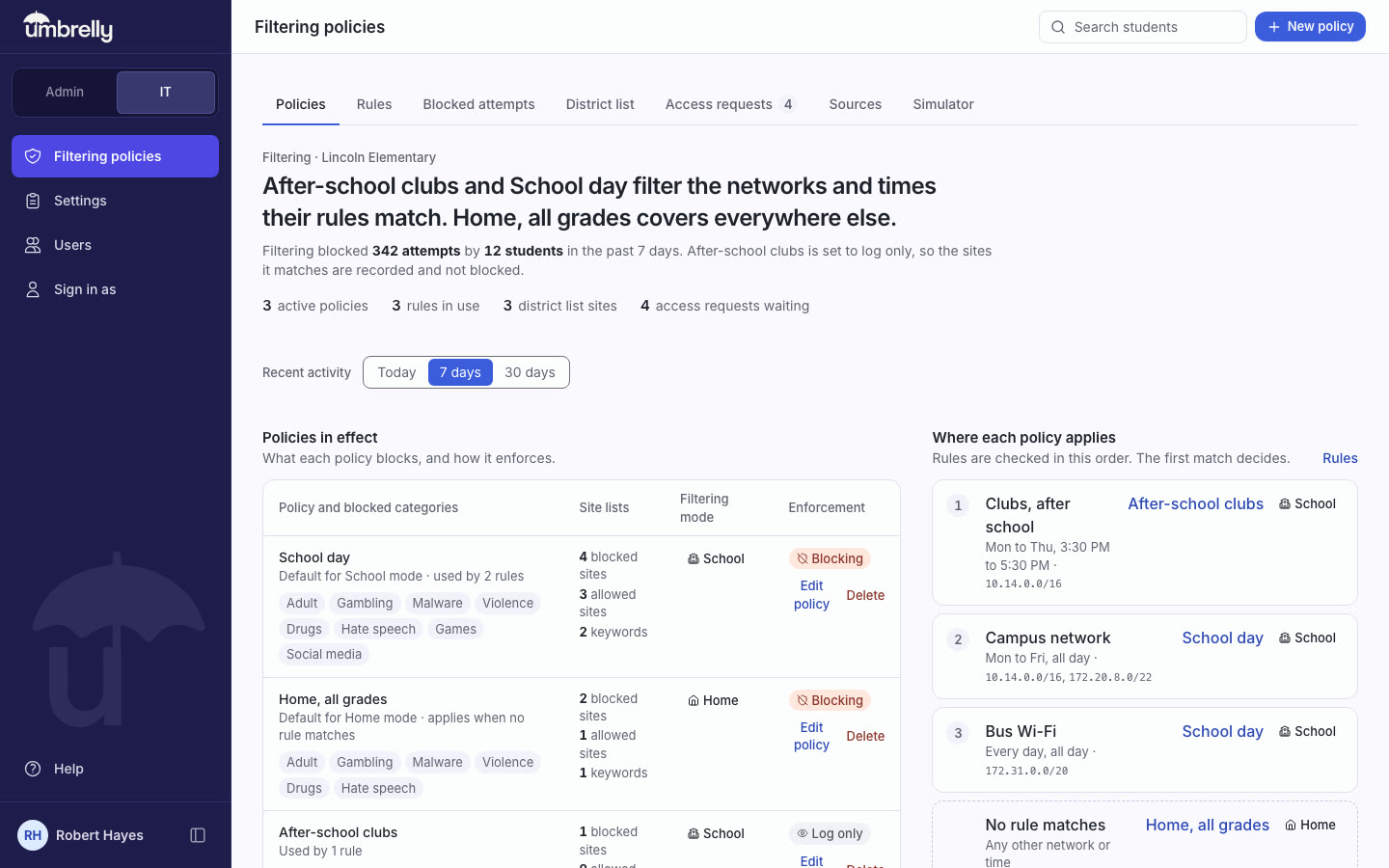
Umbrelly filtering policy editor with blocked categories, allowed categories, allowlisted and blocklisted sites
Named policies decide what students can reach. Rules decide which policy applies where.

Blocking at the network layer, not a cosmetic overlay

The Chrome extension blocks with declarativeNetRequest before a request leaves the device, in school mode and in home mode.

  • Twelve categories, allow and block lists, and keyword rules, with a one-click K-12 recommended set.
  • Rules by time and day decide which policy applies where.
  • A block page the district writes, with the reason always shown.
  • Students can ask before they go: a site checker on their status page, and Request Access on the block page.

Built for a daylit classroom, not a watch floor.

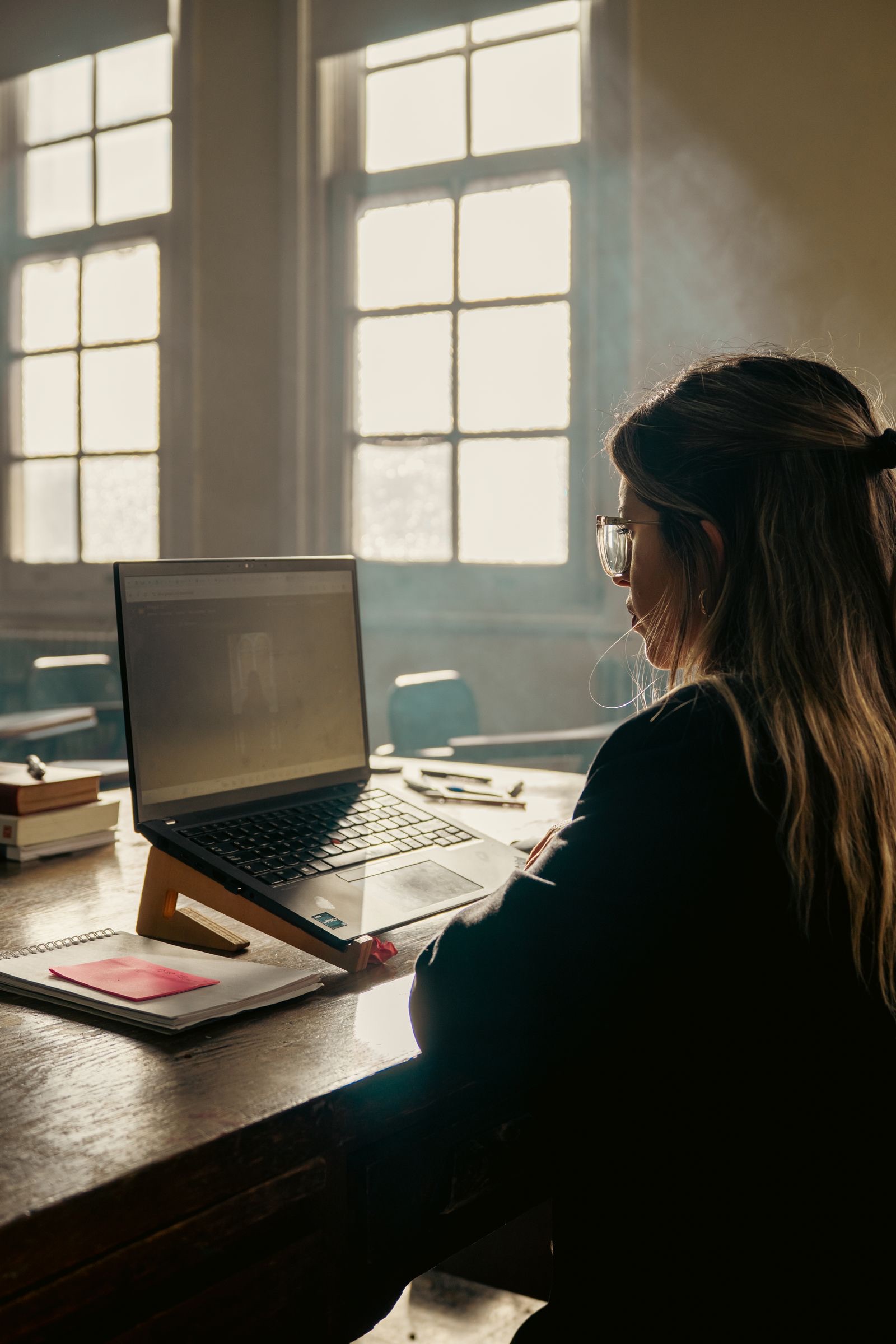
Umbrelly is read by a teacher standing between desks, glancing at a laptop in bright light. Light surfaces, high contrast, glanceable status, and no dark console styling anywhere in the product.

A student works on a laptop at a desk in a sunlit classroom with large windows

Compliance you can show, not just claim

Before monitoring can begin, a district completes a data privacy agreement and authorizes under New York Education Law 2-d. That gate is enforced in the product, not in a memo.

District gate
No live viewing and no history capture until the DPA and Ed Law 2-d authorization are recorded. If the record is missing, the product fails closed.
FERPA export
A structured export on demand, ready to hand to an auditor, a board, or a parent.
Consent per student
COPPA parental consent is tracked per student and enforced on the server. A student marked as needing consent is not monitored until it is on file.
Audit log
Every teacher and administrator action is recorded, viewable by school administrators, and kept for a year.

Retention that runs itself

A sweep runs every six hours. Data does not live forever.

Retention windows by data type
Screen snapshots14 days
Tab activity30 days
Blocked attempts90 days
Audit logs365 days

What we do not claim. No third-party certifications. No AI reads student content today. Safety alerts, a planned opt-in feature for districts, are still in development and not yet available.

Built for everyone a session touches

Teachers

Why it matters: Redirecting a student usually costs you either instructional time or the relationship. This costs neither.

  • Get a student back on task without crossing the room or naming them in front of the class.
  • The student saw the same screen you did, so the conversation afterward is about the work, not about being watched.
  • Start and stop your own sessions. No ticket to IT, no waiting on someone else's schedule.
  • Monitoring stops the moment the period ends, so you are not carrying a record of a student's evening.

Administrators

Why it matters: You are the one who answers the parent, the board and the auditor, usually months later and from memory.

  • Policy is enforced by the product, not by a memo. Without the DPA and Ed Law 2-d authorization on file, monitoring does not start.
  • Produce the actual record in minutes instead of reconstructing it from three people's recollections.
  • Retention runs on a schedule. Data you no longer hold cannot be asked for or lost.
  • Every teacher and administrator action is logged, so “who looked at what, and when” has an answer.
  • Write your own intro line for the block page, in the school's voice, alongside the reason and Request Access.

Technology directors

Why it matters: Whatever you deploy in August, you support all year.

  • Clever keeps rosters current, so September is not spent reconciling accounts by hand.
  • One policy surface covers school and home. No second product for off-campus devices.
  • Chrome policy pushes the extension. Nothing is per-device, and students cannot remove it.
  • Filtering happens at the network layer before the request leaves the device.
  • Fewer over-blocking tickets: the block page gives the reason, and students request access in the product instead of emailing you.

Students

Why it matters: You should never have to guess whether someone is watching.

  • Know when a session is on, and what is collected, in plain words.
  • See the reason on the block page, and ask for access right there instead of getting flagged.
  • Nothing is collected on your own device, or after class ends.

Families

Why it matters: You want to know your child is okay, not read their browsing history.

  • A plain-language summary of your child's activity, on whatever phone you have.
  • If consent is not on file, monitoring does not happen. Enforced, not promised.
  • Export your child's record yourself, whenever you want it.
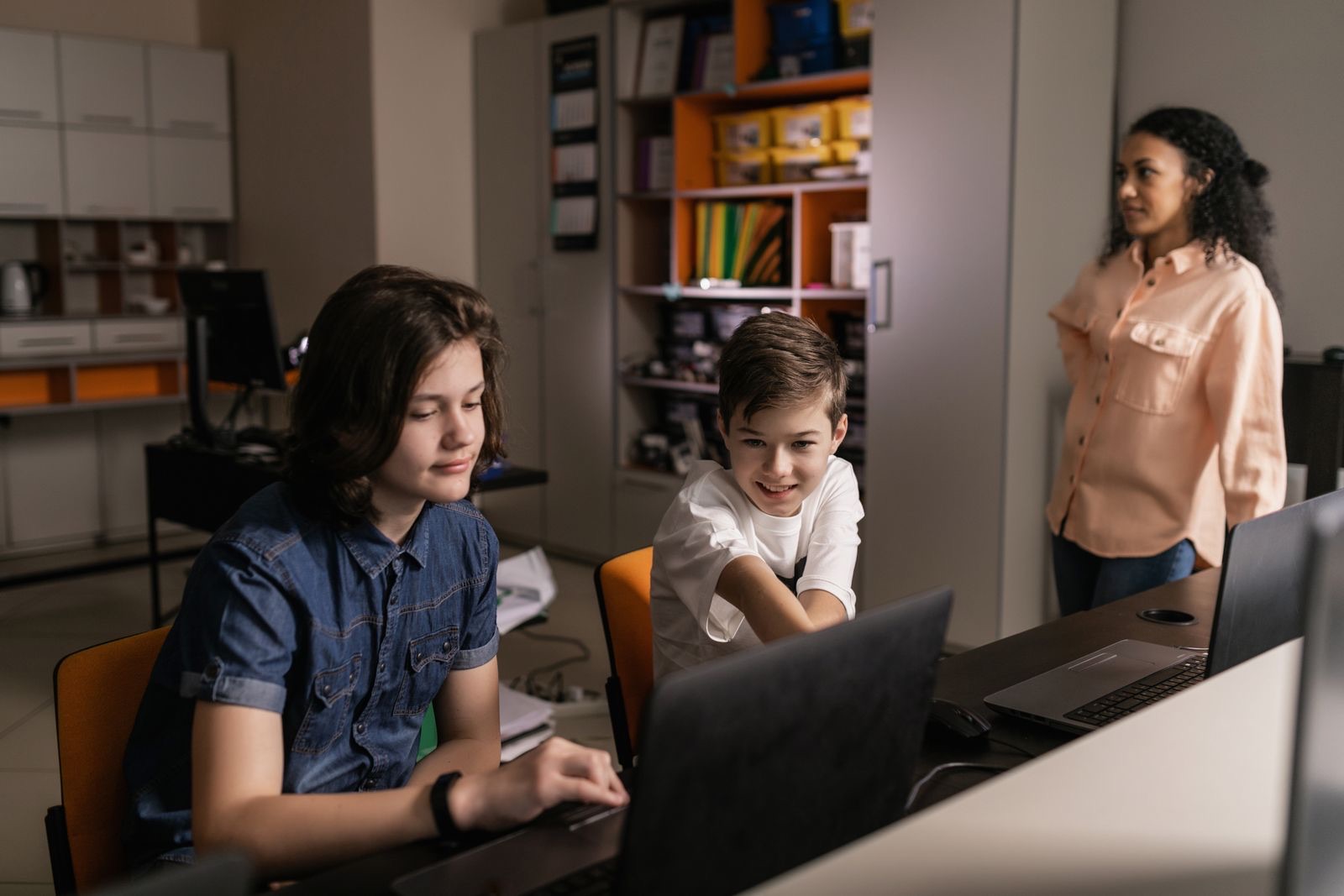
Students at laptops in a classroom, with a teacher looking on

Umbrelly and the surveillance model

  • Visible monitoring indicator on the student's screen

    Umbrelly: yes. Surveillance model: no.

  • Student status page showing what is collected

    Umbrelly: yes. Surveillance model: no.

  • Family summary without a browsing history

    Umbrelly: yes. Surveillance model: no.

  • No AI reads student content

    Umbrelly: yes. Surveillance model: no.

  • COPPA consent enforced per student on the server

    Umbrelly: yes. Surveillance model: school-mediated.

  • FERPA export and scheduled deletion

    Umbrelly: yes. Surveillance model: yes.

  • Network-layer web filtering

    Umbrelly: yes. Surveillance model: yes.

  • District compliance gate (DPA and Ed Law 2-d)

    Umbrelly: yes. Surveillance model: no.

Reflects Umbrelly's shipped features as of September 2026. The right column describes a category of product, not a named competitor.

Questions parents and schools ask

Can you see my child's screen?

During an active class session, a teacher can see a thumbnail of the student's current tab. Outside a session, nothing is collected. The student always sees a visible indicator while monitoring is on.

Does AI read student work or flag behavior?

Not today. Off-Task detection and safety alerts are both still in development and not yet available. When Off-Task ships, it will be an opt-in, per-class setting that compares a site's category with the class subject and will never read page content. Safety alerts, off by default, will let a district opt a student's search or class-message text, never a screen image, into a classification service.

How long is data kept?

Retention is type-specific: screen snapshots 14 days, tab activity 30 days, blocked attempts 90 days, audit logs 365 days. A sweep runs every six hours.

What compliance frameworks does Umbrelly support?

FERPA-aligned export and scheduled deletion. COPPA parental consent enforced per student. New York Education Law 2-d authorization required before monitoring starts. No third-party certifications are claimed.

How does filtering work?

The Chrome extension blocks at the network layer with declarativeNetRequest, before a request leaves the device. Categories, allow and block lists, keywords, and rules by time and day are all set by the school. Students can check a site before visiting it and request access from the block page.

Umbrelly

Safe Classrooms. Smart Coverage.

Classroom monitoring, web filtering, and compliance built around student dignity: visible to everyone, hidden from no one.